
The Ins and Outs of the Project: BloodStrike App
(Knowing what it is, how it works, and whether you should try it)


Introduction
If you enjoy fast-paced mobile shooters, then the Project: BloodStrike app might catch your eye. This game—the Project: BloodStrike Game—has stirred up interest among players on Android, iOS, and PC. In this blog post, I’ll walk you through what the Project: BloodStrike app is all about, how to download and signup, what the latest version offers, and whether it might be a good fit for you. I’ve spent time looking into it so you can decide with confidence.
What is the Project: BloodStrike Game?
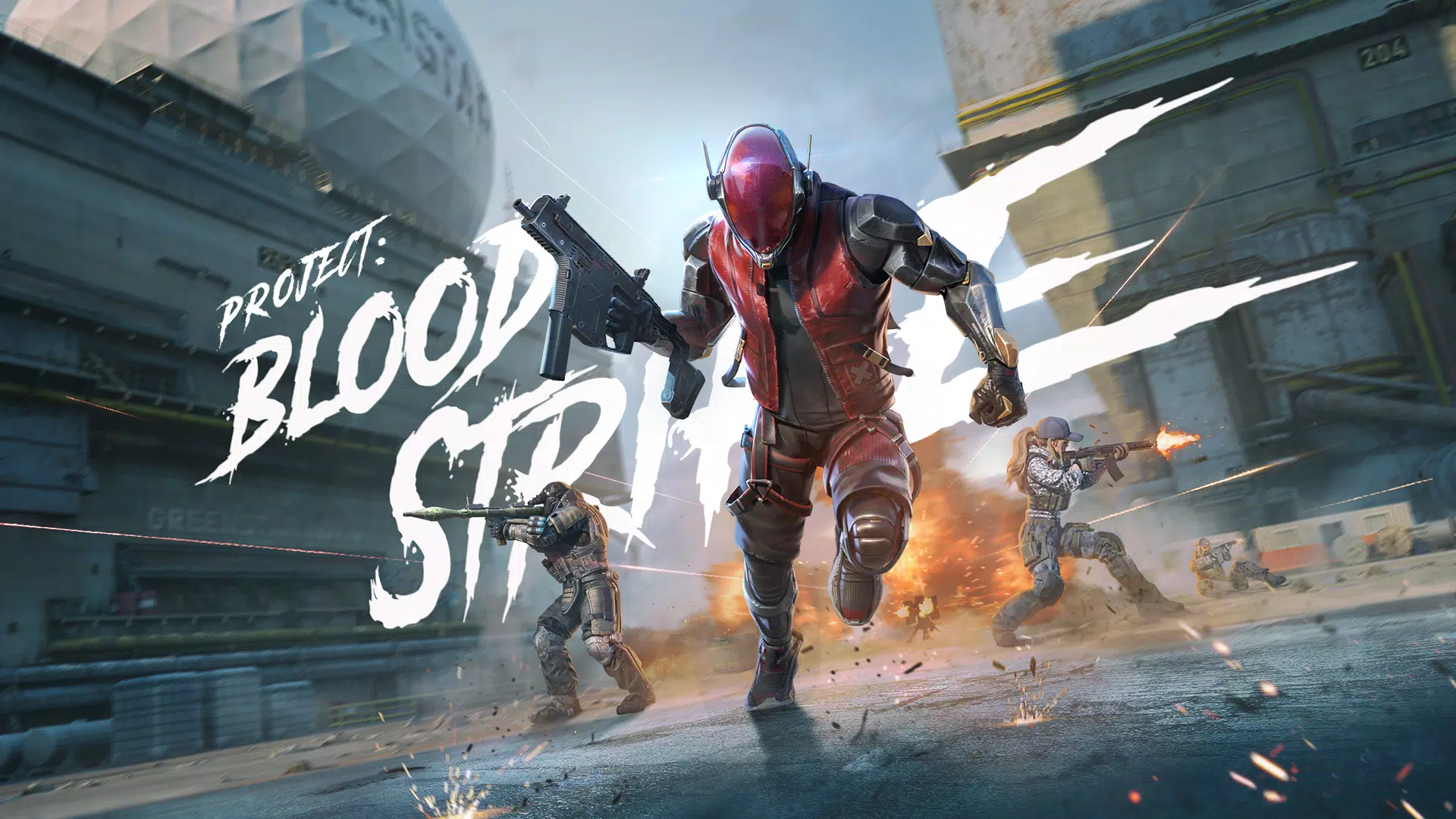
The Project: BloodStrike game is a battle royale style FPS developed by NetEase Games for mobile and PC platforms. In one of its news reports, the game is described as a “battle royale” with “fast-paced matches, smooth optimization and characters with distinctive abilities.”
However, the story is a bit complex: earlier it was announced that development would end and the game would return under a new name or format.
Key Features of the Game
- You can switch between more than 15 “Strikers” (playable characters) each with unique abilities.
- There are over 30 weapons you can customise and remix (for example, dual-UZI) as part of load-out builds.
- The game offers multiple core modes: Battle Royale, Squad Fight, Hot Zone, Weapon Master and time-limited modes.
- It is optimised for many devices (even lower-end mobiles) with smooth controls, HD visuals, and mobile-native inputs like slide-shoot combos and recoil control.
Why it matters?
For people who like mobile shooters and competitive matches, the Project: BloodStrike game provides an alternative to bigger titles. Its focus on character abilities plus customised weapons gives a layer of strategy beyond raw shooting. At the same time, its availability across mobile and PC (via emulator) means you have flexibility. For you in Skardu, Gilgit-Baltistan using mobile, it might be perfect if your internet and device can handle the game.
How to Download & Signup for the Project: BloodStrike App?
Getting started with the Project: BloodStrike app involves a few steps and decisions depending on your device.
Downloading
- For Android: You can download the APK version from third-party stores like APKPure. For example version 1.003.650013 was posted in October 2025.
- For iOS: The app is available on the App Store (for example version 1.003.102 was listed as of October 2025).
- For PC: You can play using an Android emulator like MEmu to run the Project: BloodStrike download on a larger screen.
Signup / Account
Once you have the app installed, you will typically need to register or login using an account. During the beta or early release phases, certain regions were restricted for signup.
When doing signup:
- Choose a username you like (you’ll see it in competition).
- Link an email or social account (if offered) so you don’t lose progress.
- Make sure you’re on a stable internet connection to avoid errors.
Things to note before you start
- Because the version of the game still can be labelled a “test” in some markets, you may see bugs, resets, or game changes.
- Make sure your device meets the basic requirements (Android 5.0+ was listed for a recent version).
- If you’re in Pakistan (Skardu region), check if the servers or region restrictions might affect matchmaking or latency. Players have reported lag issues.
What’s New in the Project: BloodStrike Latest Version?
Understanding what’s new helps you decide if you want to update or jump in.
Version & Update Highlights
- Latest version for Android: 1.003.650014 was listed (Oct 30, 2025).
- On iOS, version 1.003.102 (Oct 24, 2025) includes a “Payday” event: smash ATMs, grab cash airdrops, ambush wealthy enemies.
- The “Striker adjustment” for a character EMT was part of the update: improved healing mobility and area-defense capabilities.
What this means for you?
- Events like “Payday” bring new game modes or limited-time missions—good for variety and keeping things fresh.
- Character balancing (like EMT’s adjustment) shows the devs are tweaking game mechanics—not just adding cosmetics.
- If you update to the latest version, you’ll likely get bug-fixes and possibly new maps or features. But updates may increase file size significantly. One iOS user noted: “I started playing … when it was only 200 MB to download, now it has gone up to 1 GB!!!”
How to Play Smart in Project: BloodStrike?
Getting good at the game is more than downloading it—it’s about strategy, smart play, and adapting.
Basic Gameplay Tips
- Learn each Striker’s ability: since the Project: BloodStrike game emphasises character skills, know what your Striker can do (heal, support, aggressive, defense).
- Customise your weapons: Over 30 weapons and remix possibilities mean you should find load-outs that suit your style (long-range vs close quarters).
- Use mobile-native controls: Slide-shoot, recoil control, fast movement—these matter in tight firefights.
- Choose your game mode: Whether it’s Battle Royale, Squad Fight or Hot Zone, adapt your play style accordingly. Camping (hiding for long time) is discouraged in some modes.
Avoiding Common Pitfalls
- Don’t rely purely on high graphics: In some devices, high graphics may cause lag or frame-drops. Players have reported FPS drops in fights.
- Beware matchmaking issues: Some players report skill gaps, cheating, or weak ranking systems.
- Ensure stable connection: Battle royale games are demanding on internet; lag or ping spikes can ruin the experience.
- Be mindful of storage: With updates the size grows; make sure your device has enough space.
Pros & Cons of the Project: BloodStrike App
✅ Pros
- Accessible: Works on a wide range of devices including mobiles and PC emulators.
- Multiple modes and customisation: Good variety of characters, weapons and gameplay modes.
- Strong developer backing: A major studio, NetEase Games, is involved, which suggests ongoing support.
- Free to play: You can start without paying (though there may be in-game purchases).
❌ Cons
- Uncertainty in long-term development: The game was once declared “to end and return as something else”.
- Reports of performance issues: Some mobile devices experience lag or FPS drops in firefights.
- Server/region and cheat issues: Some user feedback mentions ranking inconsistencies or cheating.
- Large file size: As updates roll out the size and demands increase.
Should You Try the Project: BloodStrike App?
Yes — if you match the following criteria:
- You enjoy mobile shooters and are comfortable with battle royale style gameplay.
- Your device has decent specs (or you use PC emulator) to handle shooting games smoothly.
- You have time to invest in learning character skills and weapon customisation.
Maybe hold off if:
- Your device is very low-end and struggles with similar games.
- You dislike games with potential bugs or early-access style uncertainty.
- You’re looking for long-term guaranteed support (given the development uncertainty).
In your case (Skardu, mobile user), if you have a stable internet connection and a reasonably capable mobile device, the Project: BloodStrike download could be fun to try. Just be aware of potential device or region limitations and go in with realistic expectations.
Frequently Asked Questions (FAQs)
Q1. What platforms can I play Project: BloodStrike on?
You can play the Project: BloodStrike game on Android (via APK or Google Play in some regions), iOS (via App Store) and on PC using Android emulators like MEmu.
Q2. Is the Project: BloodStrike app free to download and play?
Yes — the base download is free. However, like many shooters it may include in-game purchases, battle passes or cosmetic items.
Q3. Can I play Project: BloodStrike on a low-end phone?
Possibly, yes. The game claims to be optimised for any device. But player reports indicate that in firefights the performance can drop if the hardware is weak.
Q4. How do I signup for Project: BloodStrike?
After you download the app for your device, you’ll be guided to create or link an account (email, social login). Some regions may have limited access or invite-only beta phases.
Q5. What’s the “Latest version” of Project: BloodStrike?
As of October 2025, the Android version listed is 1.003.650014. On iOS the version is 1.003.102.
Conclusion
The Project: BloodStrike app offers an engaging mobile (and PC) shooter experience with a blend of battle royale, weapon customisation and character-based gameplay. It has strengths—like accessibility, variety and quality control—but also some uncertainties around performance, device demands and long-term support.
If you’re a shooter fan and your hardware supports it, it’s definitely worth trying the Project: BloodStrike download and signup. Just go in knowing it may require a bit of patience, device testing and adaptation.